

Overview
This guide shows you how to add domains, add sub-domains and domain aliases
Procedure
You can add a domain/ sub-domain / alias from your dPanel enduser panel > Domains> Add Domain
Screenshot : Add Domain
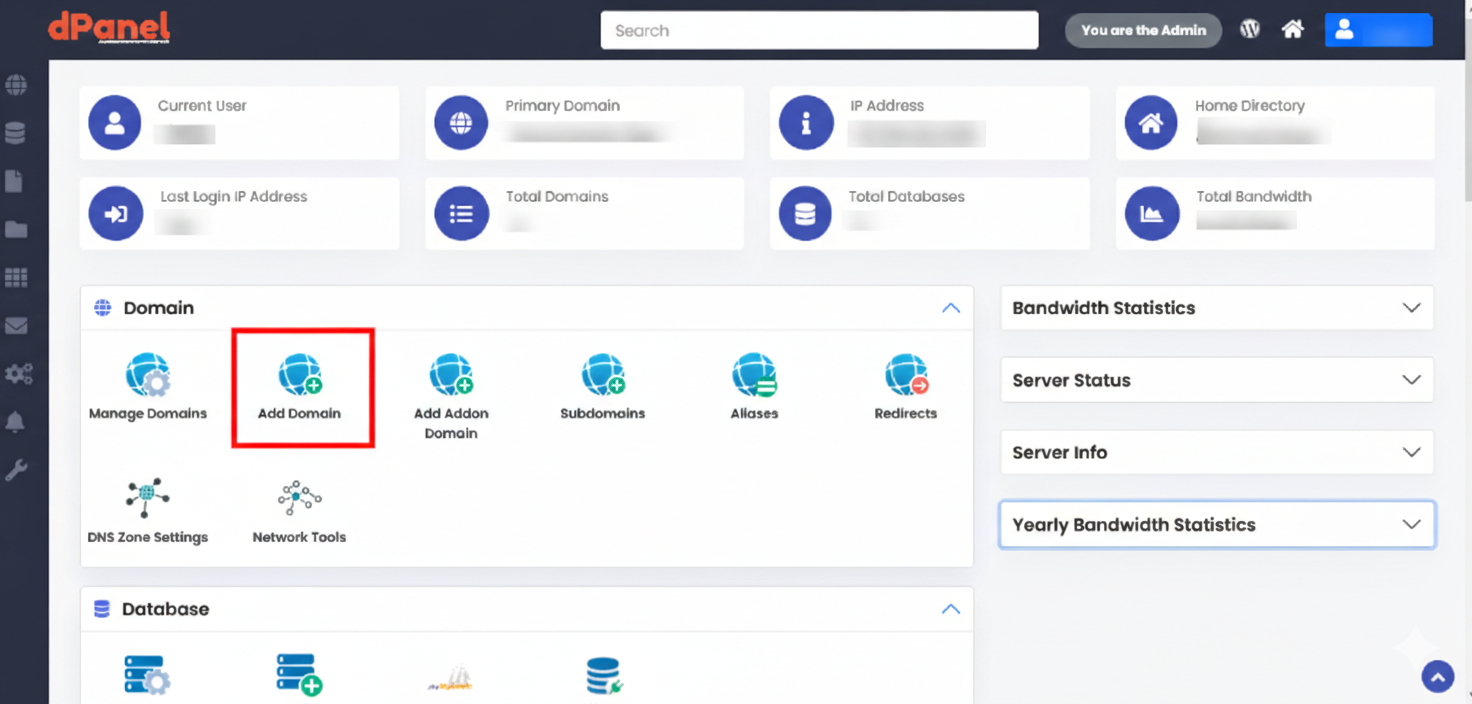
Add Domain
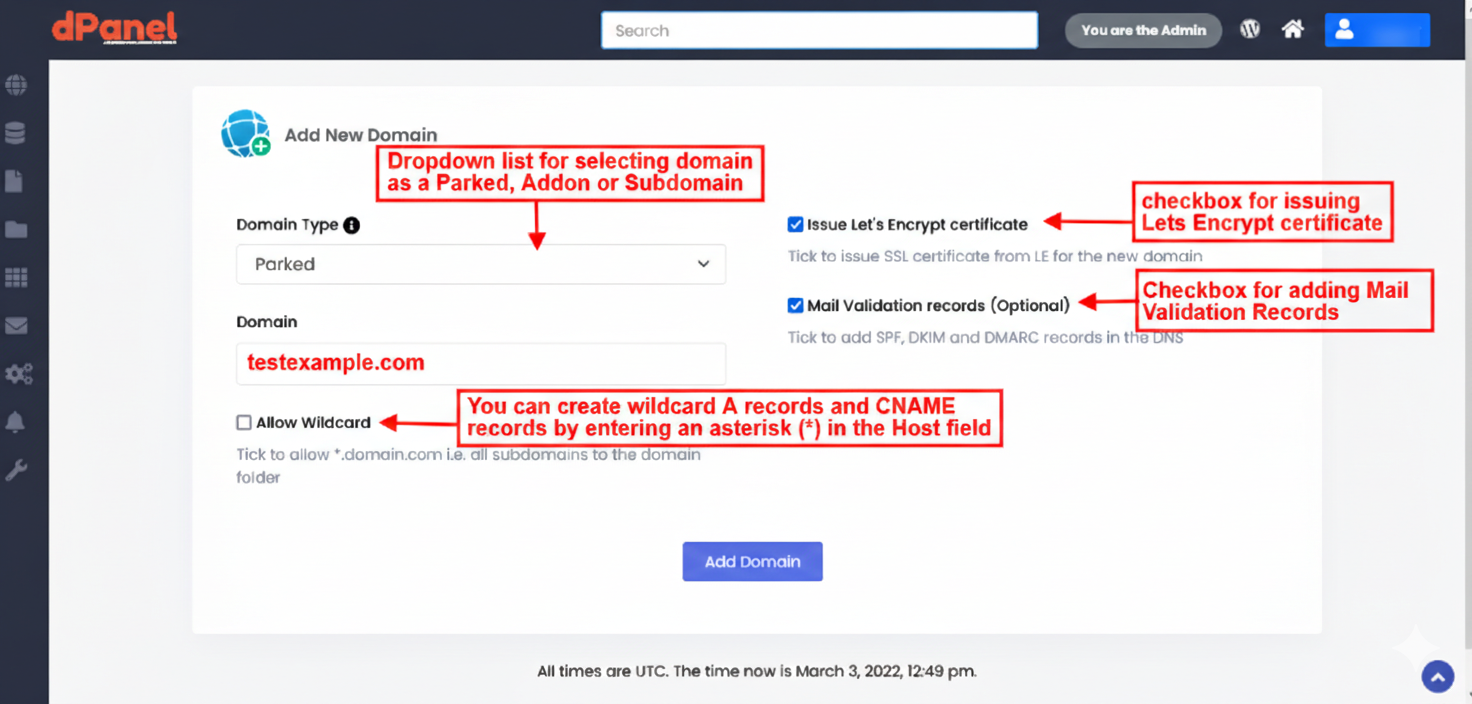
Steps :
- Dropdown list for selecting domain as a Parked, Addon or Subdomain
- Populate the input field with the domain you want to add.
For e.g : testexample.com - You can create wildcard A records and cname records by entering an asterisk (*) in the host field
- Check the box if you want to issue a Lets Encrypt certificate via dPanel or uncheck the box if you do not want to issue a Lets Encrypt certificate via dPanel.
- Check the box if you want dPanel to add the Mail Validation Records or uncheck the box if you do not want dPanel to add the Mail Validation Records.
- Click on the Add Domain Button to add the Domain.
- Click on Manage Domains to view your newly added domain